 OpenLogi
Litra lights
Control a Litra light's power, brightness, colour temperature, and camera-linked auto-power.
OpenLogi controls Litra Glow and Litra Beam from the Lighting tab. The tab appears when the device exposes standalone-light capabilities.
Supported models and connection paths
| Model | Registered raw-HID identity |
|---|---|
| Litra Glow | 046d:c900 / ff43:0202 |
| Litra Beam | 046d:c901 / ff43:0202 |
OpenLogi selects the connection path per HID node, not per model. For either
model, it first resolves HID++ 0x1990 on the light's node. If the light
responds, OpenLogi reads its state and reads each written control back.
If 0x1990 does not respond, OpenLogi uses the fixed raw-HID report instead.
That fallback has no read-back and cannot report changes made on the light.
Lighting controls
Select the light in the device gallery and open its Lighting tab. The controls follow the light's advertised capabilities:
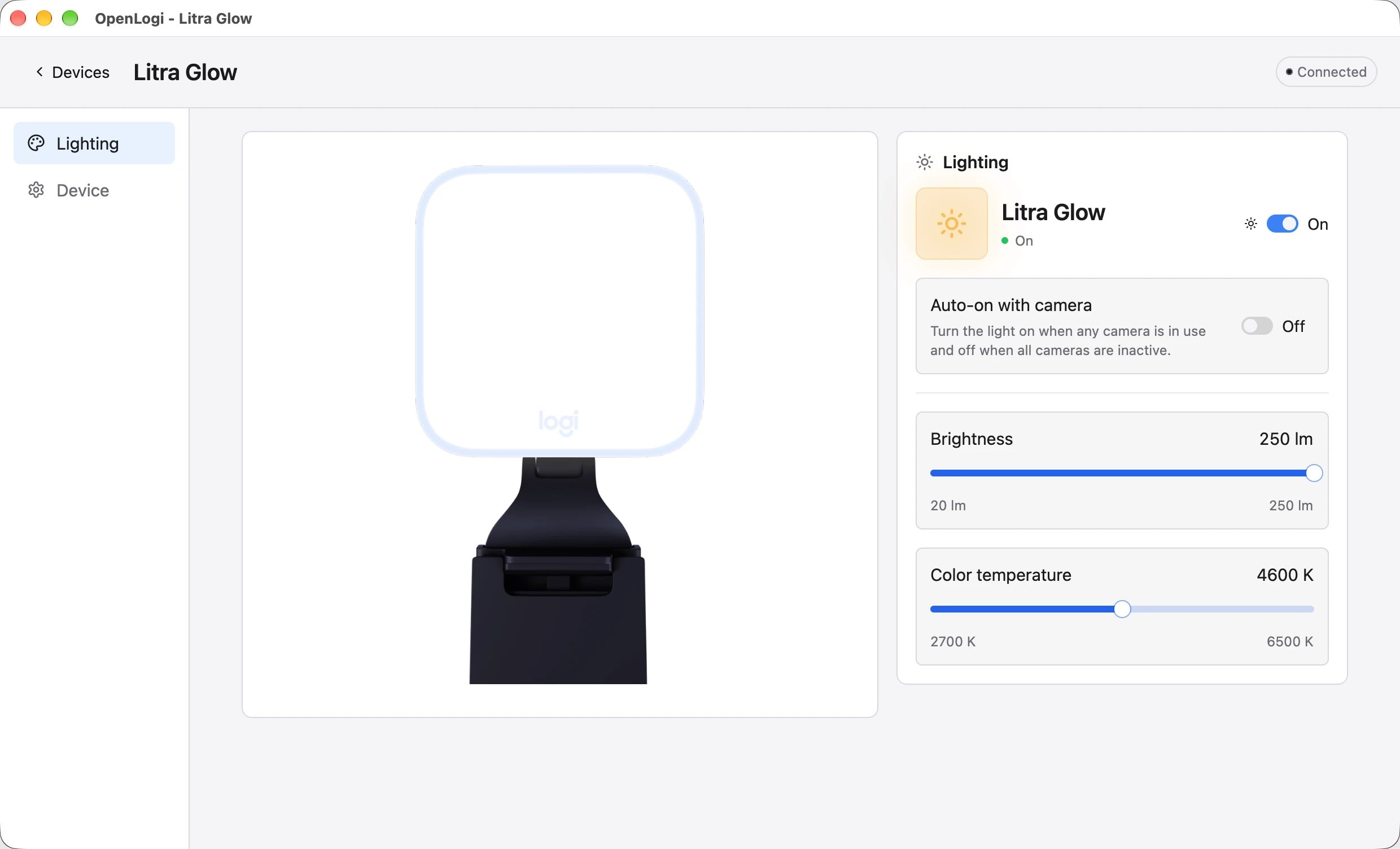
- The on/off switch controls the light's power.
- Brightness uses lumens: Glow supports
20–250 lm, and Beam supports30–400 lm. Both use1 lmsteps. - Color temperature supports
2700–6500 Kin100 Ksteps. - Auto-on with camera is available on macOS. It turns the light on while any camera is in use and off when every camera is inactive.
Saved settings and changes on the light
The agent reapplies saved light settings when the light reconnects. It also
applies them after a save and at camera-use transitions when camera automation
is on.
- On a HID++ path, a change from the light's buttons or another program is published by the agent. The desktop app saves the reported value as the setting for that control.
- An unrelated save does not overwrite a control changed on the light. A later OpenLogi save or write to that same control replaces the external change.
- A raw-HID-only light cannot report an external change. Its saved settings therefore apply again on reconnect.
- With Auto-on with camera enabled, a power change on the light is a manual choice until the next camera-use transition.
In the config
OpenLogi stores brightness as a percentage, even though the Brightness slider uses lumens. Add the settings under the light's physical key; see the full configuration reference for every field.
schema_version = 9

[devices."raw:046d:c900:ff43:0202:serial:YOUR-SERIAL".light]
enabled = true
auto_camera = true
brightness_percent = 65
temperature_kelvin = 4600
OpenLogi needs a persistent identity to save a light's settings. If the system exposes only a transient node identity, the settings last for the current session.
Status: macOS, Linux, and Windows support Litra controls. Auto-on with
camera is macOS-only. HID++ details: 0x1990 illumination.