HID++ over Bolt, Unifying, Bluetooth & wired · macOS + Linux

Your Logitech mouse, finally local.

A native, local-first alternative to Logitech Options+, written in Rust 🦀. Remap buttons, drive DPI and SmartShift over HID++ — with no account and no telemetry.

Download
$brew install --cask openlogi

Signed & notarized .dmg · Linux .deb/.rpmMIT / Apache-2.0Not affiliated with Logitech
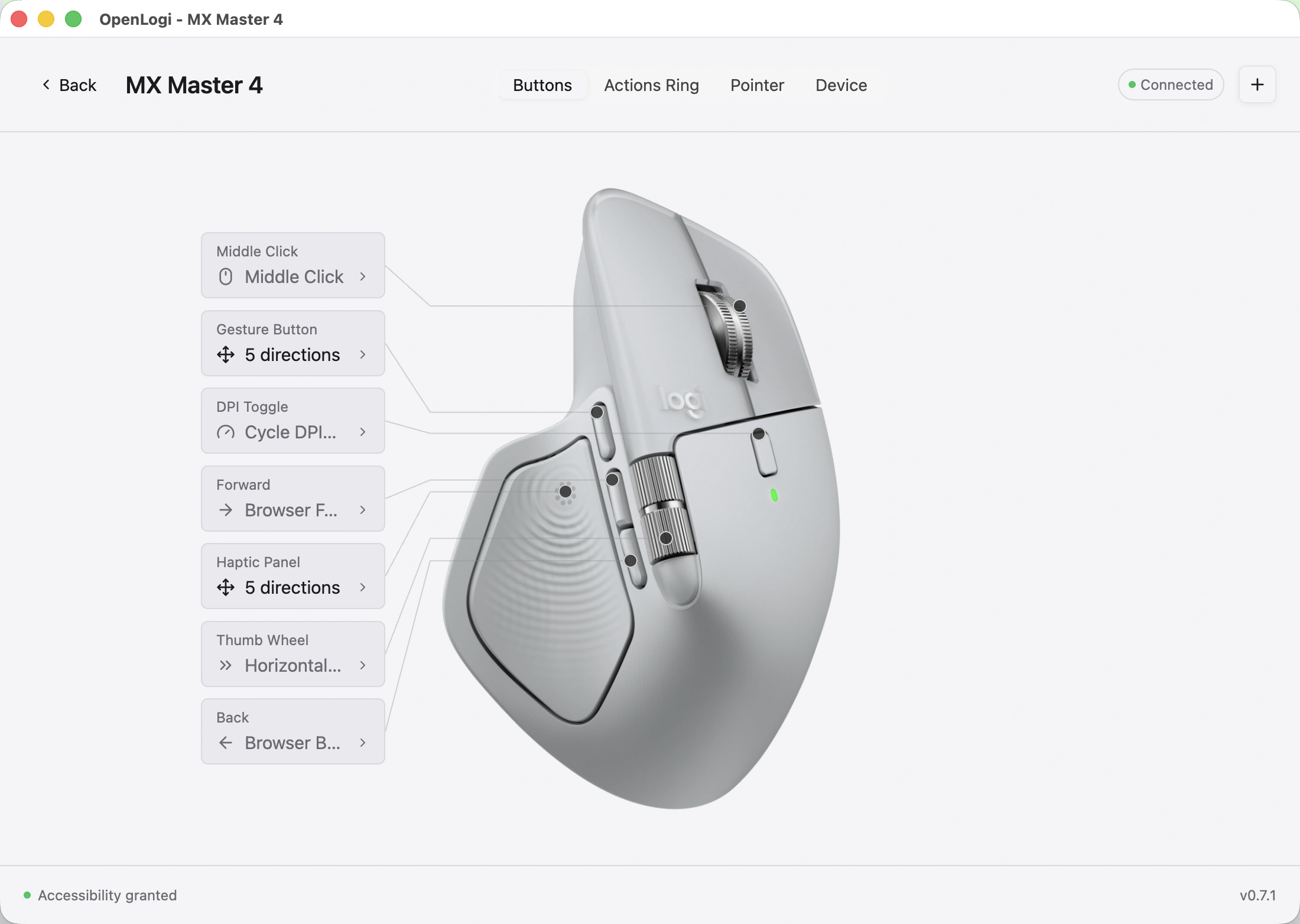
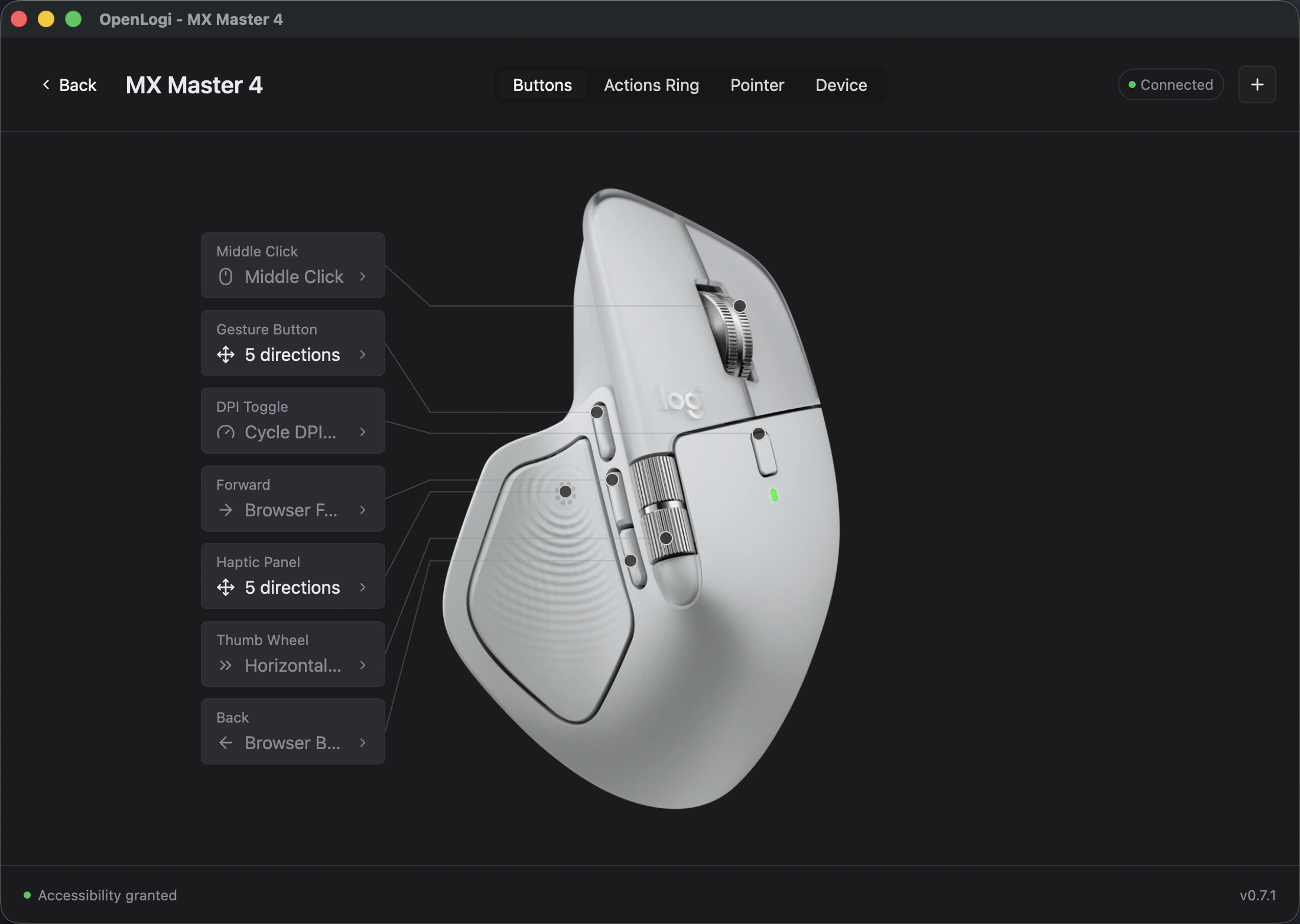
The OpenLogi app remapping an MX Master 4's buttons over HID++
41
built-in actions
0
accounts · telemetry · cloud
100%
local TOML config
The configurator

Click a button. Bind an action. Done.

This is the heart of the app — an interactive mouse diagram with clickable hotspots and a per-button action picker. Try it right here: pick a hotspot, then choose any of the built-in actions.

MX Master 4
~/.config/openlogi/config.tomllive
schema_version = 2
selected_device = "2b042"
[devices.2b042.bindings]
MiddleClick = "MissionControl"
DpiToggle = "CycleDpiPresets"
Thumbwheel = "VolumeUp"
Forward = "BrowserForward"
Back = "BrowserBack"
GestureButton = "AppExpose"
MX Master 4Writes straight to config.toml — auto-switches per app.
Features

Everything Options+ does — without the account.

OpenLogi drives your mouse over HID++ directly: buttons, DPI, SmartShift and per-app profiles, from a native app that never phones home.

Remap any button

Bind any of 41 built-in actions to each physical button, per device — custom keyboard shortcuts live in the TOML config.

41 ACTIONS

DPI control & presets

Set pointer resolution and cycle your own presets, written straight to the sensor over HID++.

HID++ 0x2201

SmartShift

Flip the wheel between ratchet and free-spin, or let it switch automatically by scroll speed.

HID++ 0x2111

Per-app profiles

Layer per-application overlays that auto-switch the moment your focused app changes.

AUTO-SWITCH

Bolt, Unifying, Bluetooth or wired

Reach devices over a Logi Bolt or Unifying receiver, a direct Bluetooth pairing, or a USB cable — no receiver required.

BOLT · UNIFYING · BLE · USB

Live device view

A carousel of paired devices with battery percentage and charge state for everything online.

BATTERY · CHARGE
Local-first

Your mouse. Your machine. Nothing in between.

No account, no telemetry, no cloud. Bindings live in a plain TOML file you own, and every change is written straight to the device over HID++.

  • No account, everNothing to sign up for — launch it and it works.
  • Zero telemetryNo analytics, no usage tracking, no crash phone-home.
  • Plain-text configEvery binding, preset and profile lives in one readable TOML file.
  • Open sourceDual-licensed MIT / Apache-2.0 — read or fork every line.
Install

Up and running in a minute.

Signed builds for macOS, Linux and Windows — pick your platform below. Step-by-step setup lives in the docs.

macOS

$brew install --cask openlogi
Download .dmg

Homebrew is recommended — or grab the signed .dmg for Apple silicon or Intel.

Linux

Download .deb

Packages for amd64 and arm64, with .rpm builds also available.

Windows

Preview
Download .msi

Signed x86_64 and arm64 installers — an early, untested preview.

Quit Logi Options+ before launching — the two fight over HID++ access, and only one app can own a receiver at a time. On Linux, the same applies to Solaar.

FAQ

Questions, answered.

Is OpenLogi made by Logitech?
No. It's an independent, open-source project, not affiliated with or endorsed by Logitech. "Logitech", "MX Master" and "Options+" are their trademarks.
Do I have to quit Logi Options+?
Yes. OpenLogi and Options+ both speak HID++ to the same device, and only one can own a receiver at a time — quit Options+ (including its menu-bar agent) first.
Which mice are supported?
MX Master 4, 3S and 3, MX Anywhere 3, Signature M650 and Ergo M575 — over a Logi Bolt or Unifying receiver, direct Bluetooth, or USB. Wired G-series keyboards get RGB lighting control.
Does it run on Linux or Windows?
macOS and Linux are supported today — Linux ships .deb/.rpm packages with udev rules and a systemd user unit. Windows is an early, untested preview; signed builds ship with each release.
Does it need an account or send telemetry?
Neither. The only network calls are device-image downloads and an opt-in update check that's off by default — everything else stays on your machine.
Where are my settings stored?
In a single plain-text TOML file. The GUI writes your bindings, presets and profiles to it directly, the Settings window covers app-wide preferences, and the file stays hand-editable.